A shelf of quiet tools
for what you read, write and keep.
VizShelf makes native macOS apps for notes, documents and knowledge. Your work stays on your Mac, in folders you choose, and AI is there only when you ask for it.


ViPKM
Visual PKM — where every project starts and ends
One integrated workspace for files, notes, tasks and events.
Read, capture and annotate PDFs, web pages, videos and audio; connect it all in outlines and boards; and remember it with AI flashcards.
- A note beside every file in your folders
- Annotator for PDF, web and video: quotes, clips and frames become notes
- AI flashcards with spaced review (FSRS)
- Audio and video transcripts, made on your Mac
- Ask Claude about your notes; save Claude chats into your notes
- Callouts: frame a line and its blocks as Important, a quote, a highlight or your own
- Graph of linked pages, with pictures
- Tags with fields, daily notes, calendar, boards, documents
- Finder ⇄ app, page links, the box for sending files
- Seven themes, each in light and dark
- …and much more

ViLibris
A visual library for notes and files
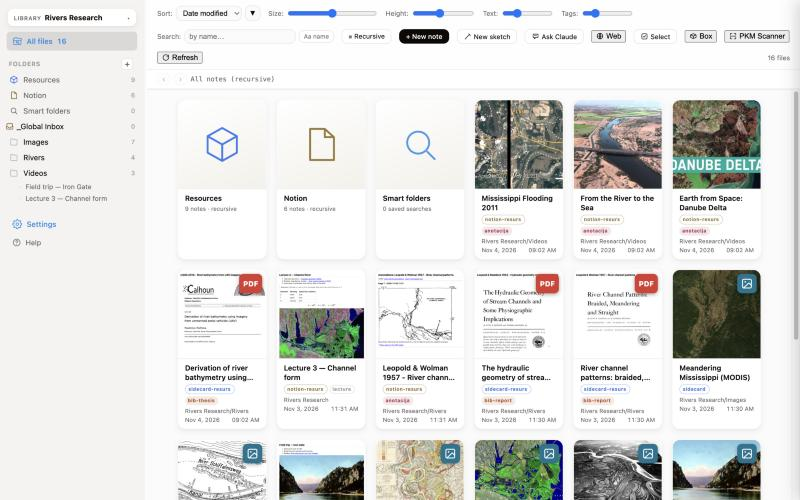
Browse a folder of Markdown notes and the documents around it as a gallery of cards — with a note beside every file.
- A note beside every file, on any disk
- PDF and web annotator: highlights and clips saved as notes
- Markdown & HTML editor built in
- Metadata in plain Markdown frontmatter: type, tags, citation fields
- Covers, type and citation detection (DOI, ISBN)
- Smart folders, backlinks and replicas
- Ask Claude with your API key, or Claude Desktop via MCP
- Finder ⇄ app, links to any note, the box for sending files
- …and much more

ViMD
One file, one window — Markdown and HTML
A focused editor for the Markdown and HTML files on your disk: write plain text and see it formatted as you type — the same editor as in ViLibris.
- Live preview with images, tables, columns and callouts
- LaTeX math and highlighted code
- Sidebar with the documents in each folder
- Pictures saved in _Images next to the file
- Links between documents open in their own window
- …and much more
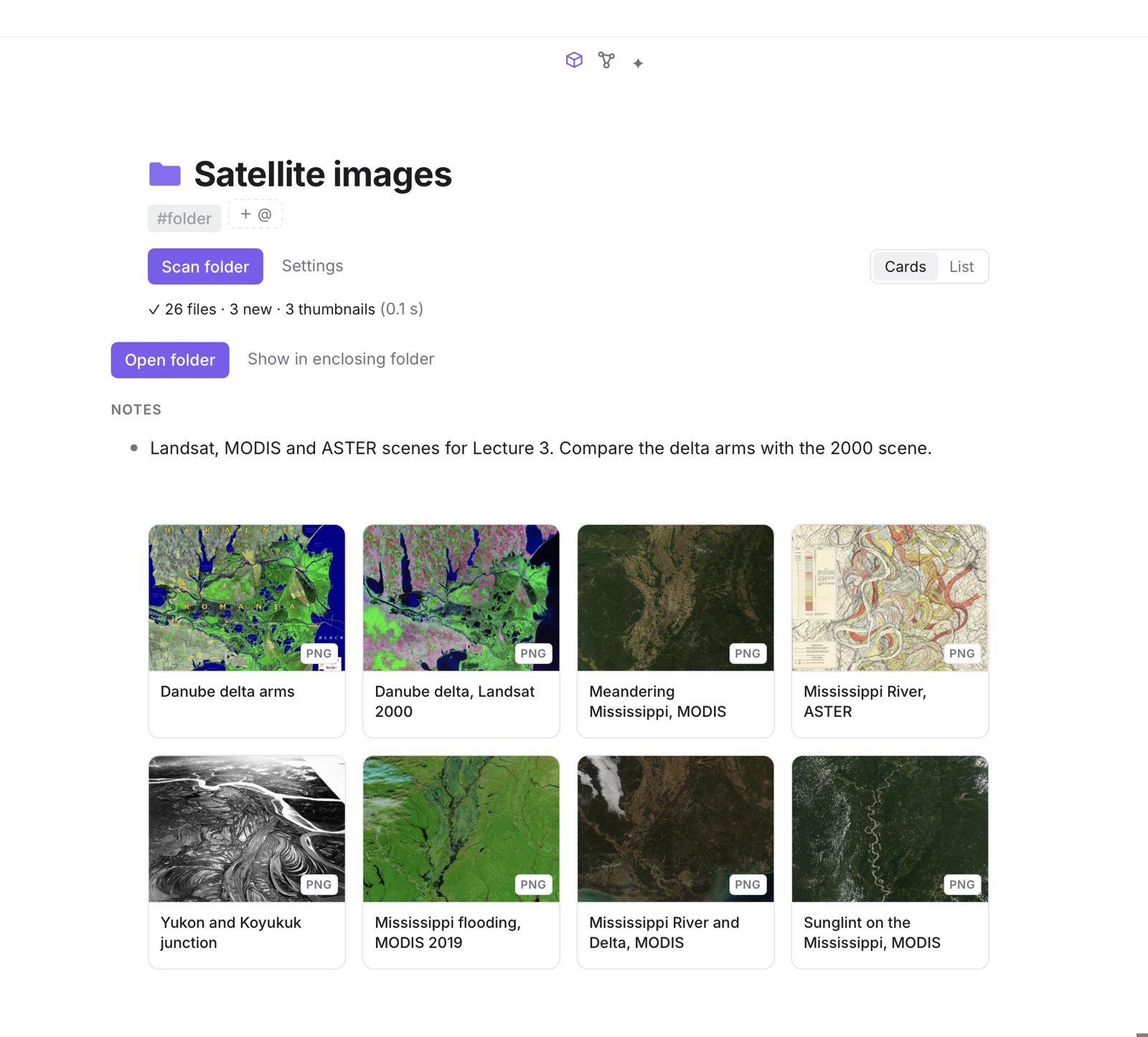
Your folders, as a gallery — with a note beside every file.
Point ViLibris or ViPKM at the folder where your PDFs, drawings, images and documents already live. Each file shows up as a card with its cover, and gets its own page for notes, tags and links. Nothing is imported or copied; the files stay where they are.
Which one? ViPKM if you want outlines, tasks, a calendar, readers for web and video, and flashcards around your files; ViLibris if you want plain Markdown notes in a folder you own; ViMD if you just want to write one Markdown or HTML file at a time.
Mark up PDFs, web pages and videos — and keep every mark as a note.
Highlight a sentence, clip a figure, grab a video frame at its second. Each mark is saved with your comment and a link back to the exact page, place or moment, so it can be tagged, linked, put on a board or turned into flashcards. In ViPKM for PDFs, web pages and videos; in ViLibris for PDFs and web pages.
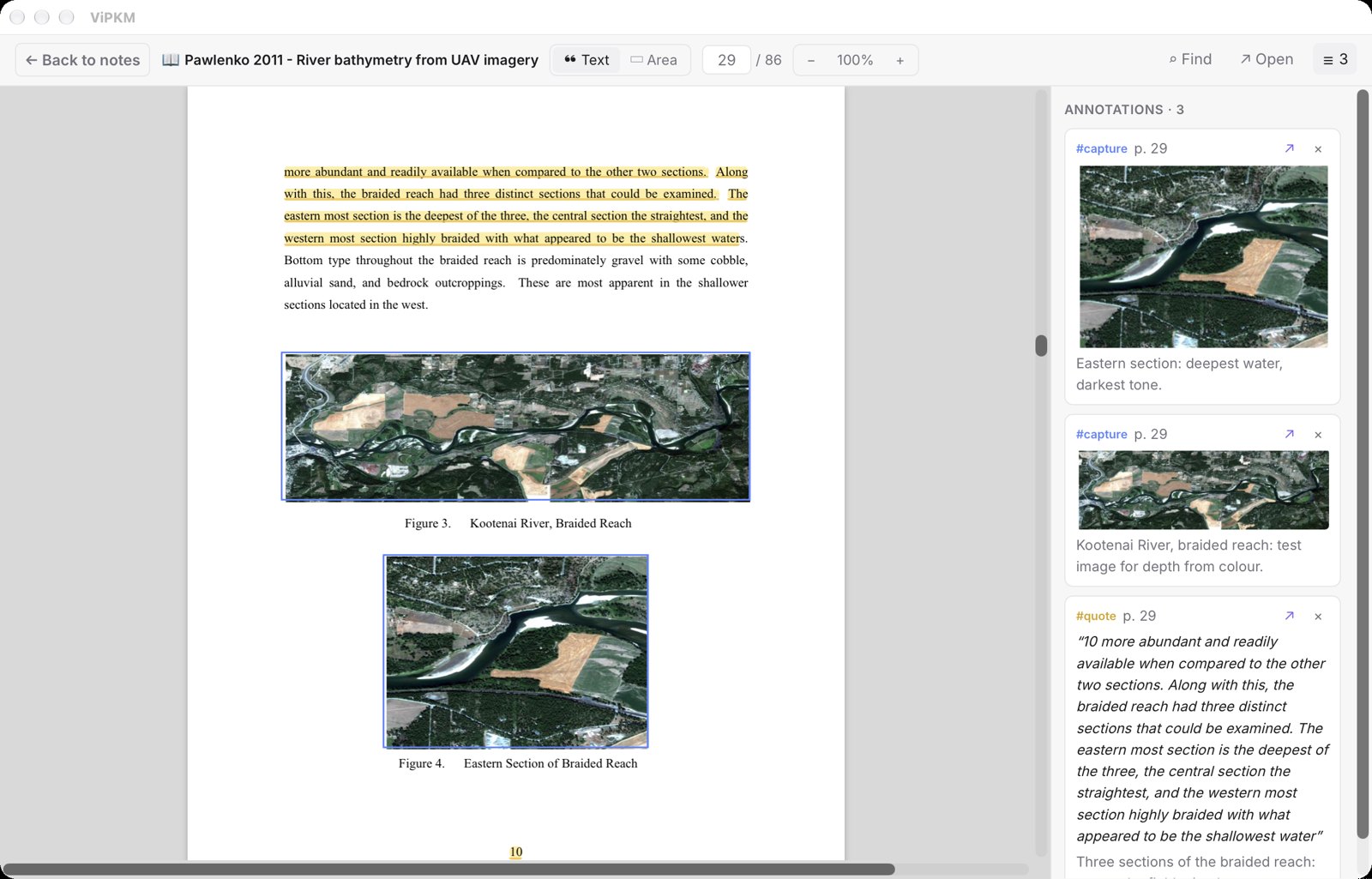
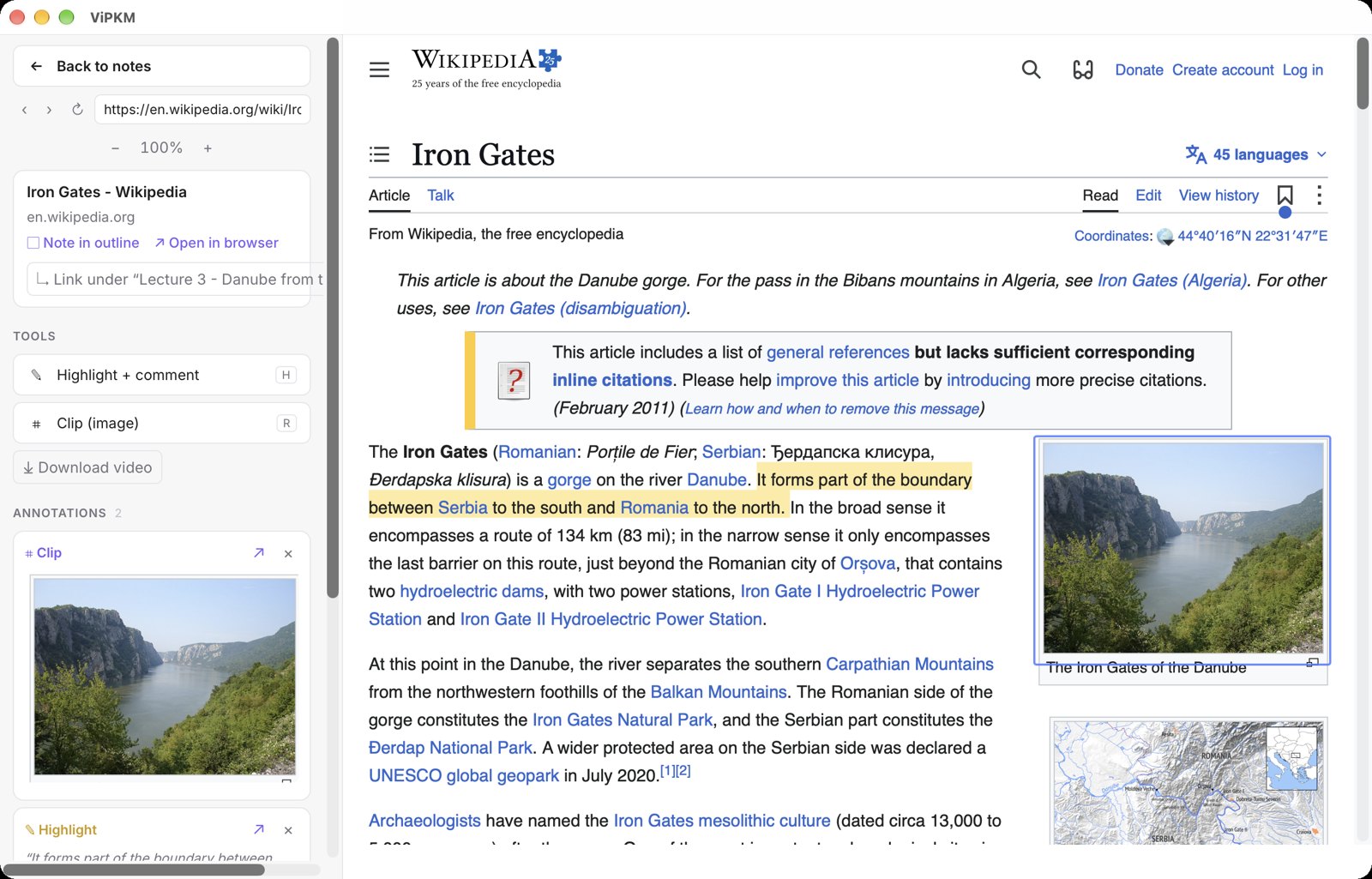
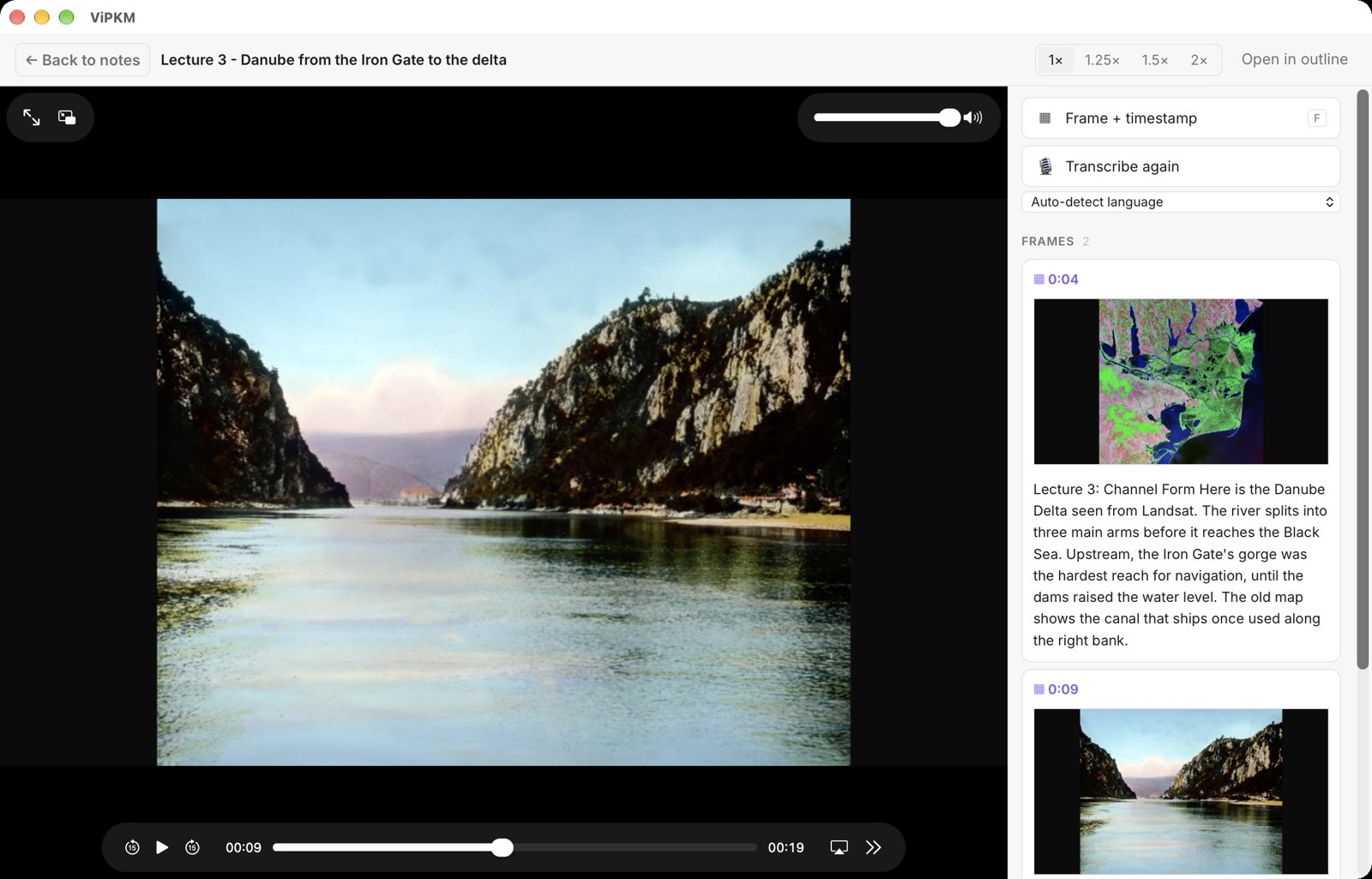
Screenshots from ViPKM. Shown: a public-domain thesis (Naval Postgraduate School, 2011), the Wikipedia article “Iron Gates” (CC BY-SA 4.0), and a lecture clip made for this demo from public-domain images.
What the apps share
Three different jobs, one set of principles.
Made for the Mac
Native windows, menus, shortcuts and Keychain. Fast on a laptop, at home on a big screen.
Notes beside your files
Your documents stay where they are, and every one can have a note beside it. No importing, no copies, no account and no server of ours in between.
Offline-first, AI on your terms
Everything works without a connection. iCloud sync and Claude are opt-in: your own API key, or Claude Desktop.
Built for real work
Made by their own daily user, for papers, projects and long reading lists — not for a demo.
Finder, both ways
Show any file in Finder — or right-click a file in Finder and jump to its page in the app. Copy links to pages and paste them anywhere.
Editors built in
One Markdown and HTML editor shared by ViLibris and ViMD, and full documents inside the outline in ViPKM — with tables, formulas, columns and images.
Questions
- Which Macs?
- macOS 13 Ventura or later. ViPKM runs on Macs with Apple silicon (M1 or newer); ViLibris and ViMD on both Apple silicon and Intel Macs.
- Do I need an account?
- No. You buy a license through Paddle and enter it in the app.
- Do I need Claude?
- No. AI features are optional and use your own Anthropic API key, or Claude Desktop through MCP.
- Where is my data?
- On your Mac, in folders you choose. Sync goes through your own iCloud Drive or folder sync, if you turn it on.
- Refunds?
- See the refund policy.