Markdown editor
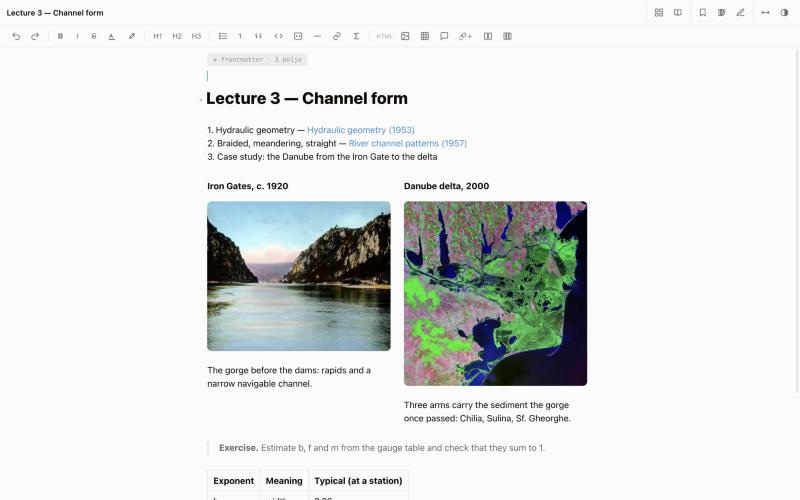
Live preview, images with width and caption, tables, callouts, rich link cards, columns, LaTeX math and highlighted code. Tables copy into spreadsheets as real cells.


The tool every operating system should have had: notes and files connected in one system for organizing knowledge. ViLibris turns a folder of Markdown notes — and the PDFs, drawings and documents around it — into a gallery of cards. Every file gets a note beside it, PDFs and web pages are read and annotated in the app, citations are detected for you, and Claude can answer from your notebook — with nothing locked in a database.
Offline-first — sync through your own folder, Claude only when you turn it on · macOS 13 or later · 14-day free trial · Windows, iPhone & iPad planned
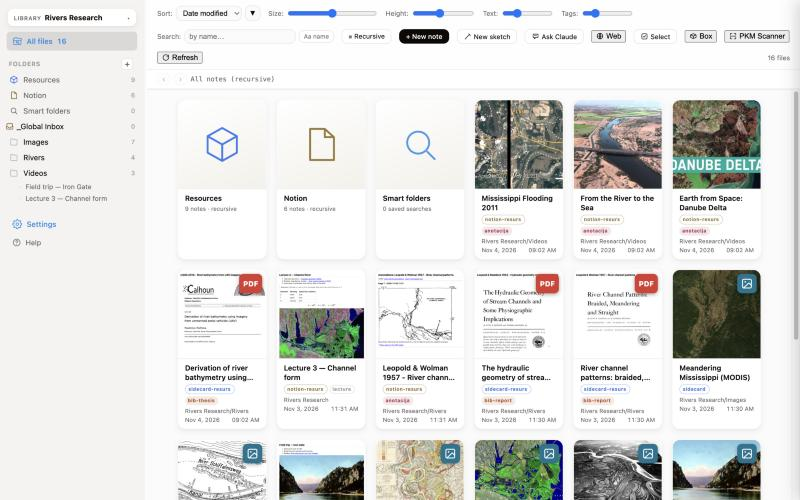
Most note apps only know what you put inside them. Your real work — PDFs, drawings, spreadsheets, scans — stays in folders the notes can't see, or has to be imported and copied until you have two of everything.
ViLibris works the other way round. Your files stay exactly where they are, and each one gets a note beside it: what it is, what you thought, where it is used. Nothing has to be imported or copied, and the notes still sync and stay searchable when the disk is not connected.
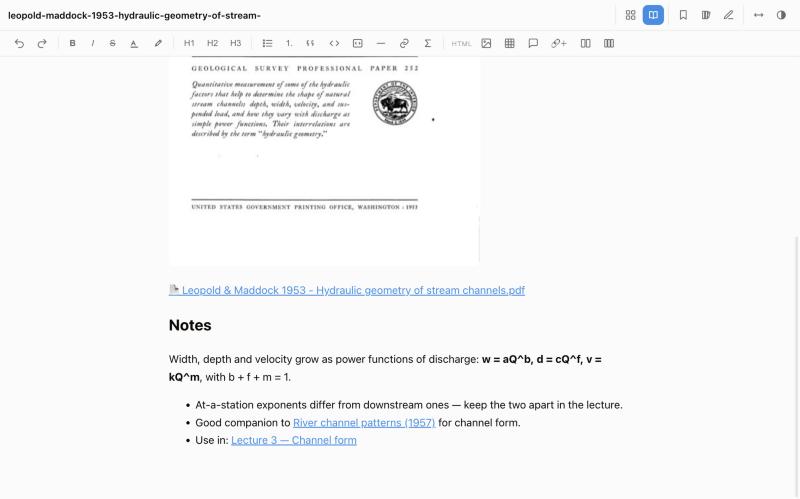
The PDF reader, the web reader, citation lookup and your notes are parts of one library, not separate tools. Whatever you mark ends up as a note that points back to the exact spot it came from.
Open a PDF from any card, or a web page in the built-in reader.
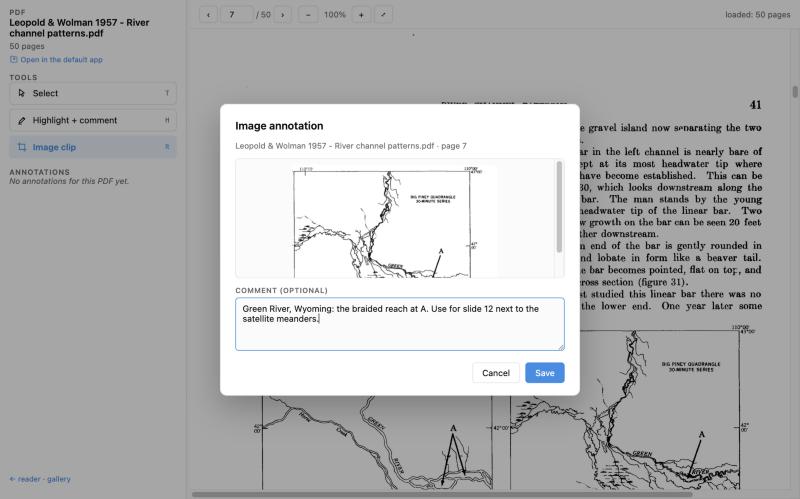
Highlight with a comment or clip part of a page as an image.
Each annotation links back to its page or its place on the web page; documents get proper citation data.
Link notes both ways, tag them, gather them in smart folders and sketch diagrams beside them.
All of it is plain Markdown in your notebook: the highlight, its page, the source and your thoughts, next to the file they are about.
Click a card and the note opens in its own editor window: Markdown with live preview, plus a toolbar for what Markdown has no syntax for. HTML files open in the same editor. Your notebook stays an ordinary folder — on iCloud Drive, a synced folder or a local disk — readable by any text editor.
Point the app at the folder where your real files are: an external disk, a network share, or just another folder. For each file it keeps a small sidecar note with the path, a cover image, the metadata it found and a Notes section that is yours.
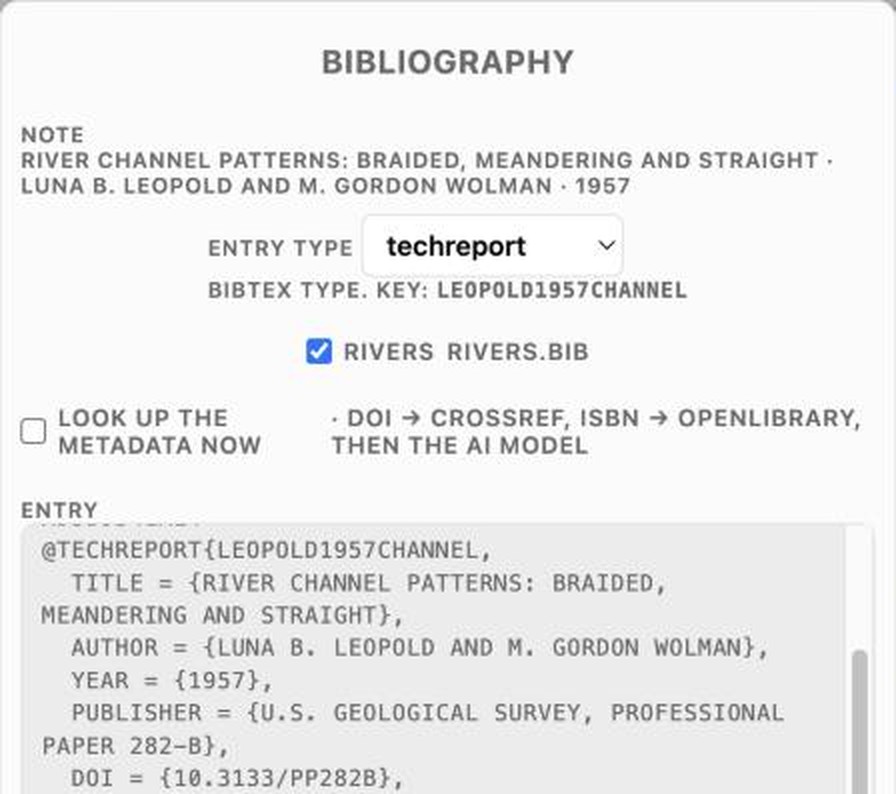
Every card gets a preview: PDF pages, images and documents render as covers, and you can set your own from a file or the clipboard. The type detector reads a document's DOI or ISBN and fills in the details from Crossref or Open Library; where those are missing, it can ask an AI model.
The built-in PDF reader keeps your highlights and notes together with the document's note. A web reader saves and annotates pages the same way, and a sketch canvas is there for quick drawings.
Both are optional. Without them, ViLibris works fully offline.
A conversation beside the gallery that can search and read your notes itself, showing every step. Attach files, pick the model, keep conversations as notes. Your key stays in the macOS Keychain and Anthropic bills the calls to your own account; only your question and what Claude actually opens are sent.
One click on “Connect to Claude” lets Claude Desktop search your notes, read them, list folders and files, and write a new note when you ask — using your Claude subscription, no API key needed.
What Claude should remember about your work is kept as ordinary notes in your notebook — you can read, edit, file or delete them like any other note.
ViLibris doesn't wall your work off from the rest of the Mac. Jump from a note to the file in Finder and back again, link to any page from other apps, and gather files to send without moving the originals.
Every card can show its file in Finder. The other way round, an “Open in” button you add to the Finder toolbar takes the file selected in Finder straight to its note in the gallery.
Copy a vizshelf:// address for a note or a saved search and paste it anywhere: clicking it brings the gallery up with that note or search, from any app that opens links.
Tick a few cards and put copies of their files in the box, then start an email with all of them attached or drag them out from Finder. The notebook and your folders are never touched, and the box empties itself when you close it.
Live preview, images with width and caption, tables, callouts, rich link cards, columns, LaTeX math and highlighted code. Tables copy into spreadsheets as real cells.
Backlinks and outgoing links are written as tables at the end of each note, so connections are visible in any editor too.
Tags in frontmatter, set on many notes at once. Put a replica of a note in another folder while the original stays the single source.
Search names and paths instantly, or switch to full text inside every note.
Pay once, use it for good. No subscription and no account.
Launch price until 15 January 2027, then 20 €.
Payments, taxes and invoices are handled by Paddle, our Merchant of Record. Prices may include VAT/sales tax depending on your country. Features that use Claude need your own Anthropic API key; that usage is billed by Anthropic, not included in the price. See the refund policy.
Screenshots show public-domain material from the U.S. Geological Survey, NASA and the Naval Postgraduate School; video thumbnails from NASA Goddard and from the European Space Agency (ESA, CC BY-SA 3.0 IGO).